Table of Contents
- Why a major upgrade?
- What has changed in Defguard 2.0
- Introducing initial High Availability
- What’s missing in this release
- Video preview of Defguard 2.0 alpha
- Final thoughts
2.0 brings significant changes. This article has two purposes:
- To explain why those changes were made (for those curious)
- To showcase them and prepare all our users for this major upgrade.
If you would like to know only what’s new and not WHY we’ve changed things, skip the chapter below and go to the next one.
Why a major upgrade?
While the 1.x version of Defguard works great and is widely used by our growing customer base, we have observed (and received a lot of feedback), that it had some key shortcomings:
- The UI/UX of our control plane (core) left a lot to be desired (which was designed by the engineers - not a professional UI/UX designer). We were at a point where it was even hard for us to “place” and design new features in the UI due to this fact.
- Due to complex multi-component and segmented architecture we did not consider high-availability when designing component communication in the beginning, prioritizing product and feature development first. But, as an enterprise product, this is a must and needs to be addressed ASAP.
- Deployment of 1.x is quite complex and requires a lot of manual intervention for multiple components (core/proxy/gateway). Generally, deploying on-premises products is not an easy task, especially given the multitude of deployment options (Docker/packages/Kubernetes/Helm/AMI) - so we knew we could design it better by automating things that can be automated.
- Our control plane did not present the state of the whole deployment. The administrator connected gateways and proxy components but did not see all the configured components and their state (healthy/unhealthy) in the control plane’s UI.
- We did not provide initially any “out of the box” solution for securing Defguard internal component communication with TLS - and left that to be addressed during deployment stage for administrators doing the task. That only increases the complexity of deployment but more importantly: does not guarantee that everyone will follow our security recommendations. Since we’re building a “secure first” product, that needed to be addressed.
- Security is our top priority, thus our secure by design approach (actual zero-trust enforcing MFA on each connection, component segmentation, Rust as our main language, open source, open code, open pentests, etc.). That’s why from the beginning our public “application” component (proxy) was designed stateless and without possibility to communicate with the core (control plane) directly. We did not do that for the Gateway component - since it only exposed the WireGuard port (thus for the gateway to be vulnerable, the Linux kernel network or WireGuard stack needs to have high severity vulnerabilities - in which case no one is safe), allowing the gateway to connect to the core. For the whole architecture to be bulletproof, we knew at some point we needed to change that as well - allowing only Core to connect to gateways and not the other way around, not only securing the communication but also introducing an easy and direct gateway management.
- Our chosen abstraction for firewall rules - ACLs - has been well received, but we keep running into edge cases stemming from the somewhat unintuitive way that matching packet sources and destinations work in most firewalls. The way the rules interact with aliases was also not always clear, leading to unexpected results.
- Since WireGuard is stateless (based on UDP) there is no actual session management. We needed to figure out “a session” to provide Multi-Factor Authentication (actual zero-trust requires MFA to be done on each connection - but where does a connection start or end in WireGuard if it’s stateless?). The best way was to implement it based on the actual traffic / communication that is done between the client and server and “detect” if a connection is terminated for some time. We used our dashboard statistics mechanism for this purpose, even though it was not originally designed for it. So we knew that at some point we needed to implement a proper “session” management approach.
When a product (and customer base) grows, there’s never a good time to make significant changes. But I believe the sooner the better - so we have decided to take a “step back”, freeze major feature development for two months, and address all these issues, to create more solid foundations - so that not only we will deliver a better product but also have a solid ground to work on new features more efficiently.
So here we are with our first (actual) alpha of 2.0 introducing these new features - which address all the above.
What has changed in Defguard 2.0
Important notice!
Please note that this is an actual alpha and absolutely not meant for production use. There are still some features missing (listed below) and the intention of this alpha is not only to preview the features of 2.0, but hopefully gather feedback from you - our users - so that the 2.0 release will be rock solid.
For that reason we have not prepared all deployment methods - only a simple Docker Compose in order to easily and quickly launch 2.0 and play around with it. More details about this in the documentation.
Also, this alpha will not work with your current data - and there is no migration method (for now - we are working on that).
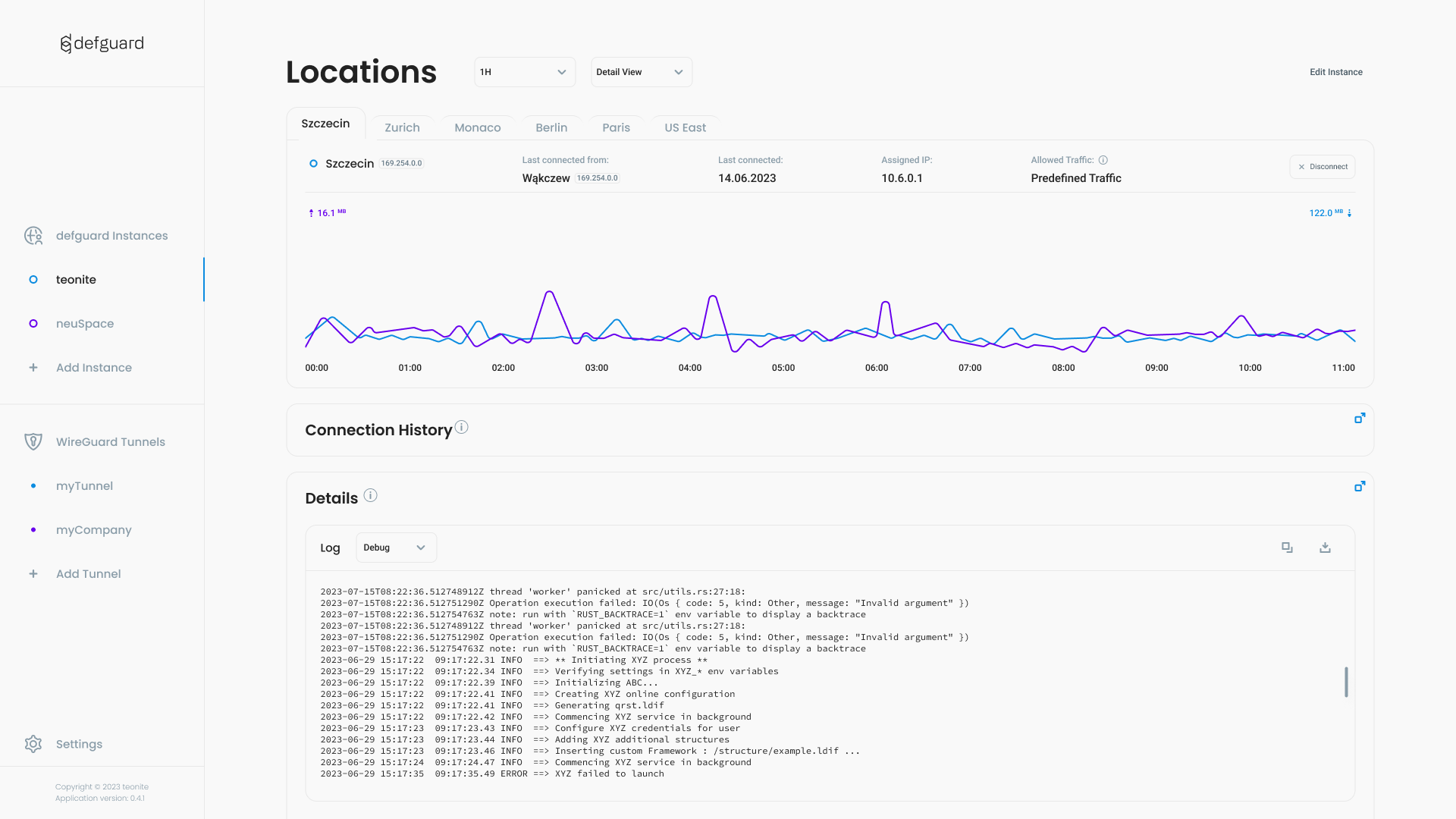
Completely new UI/UX
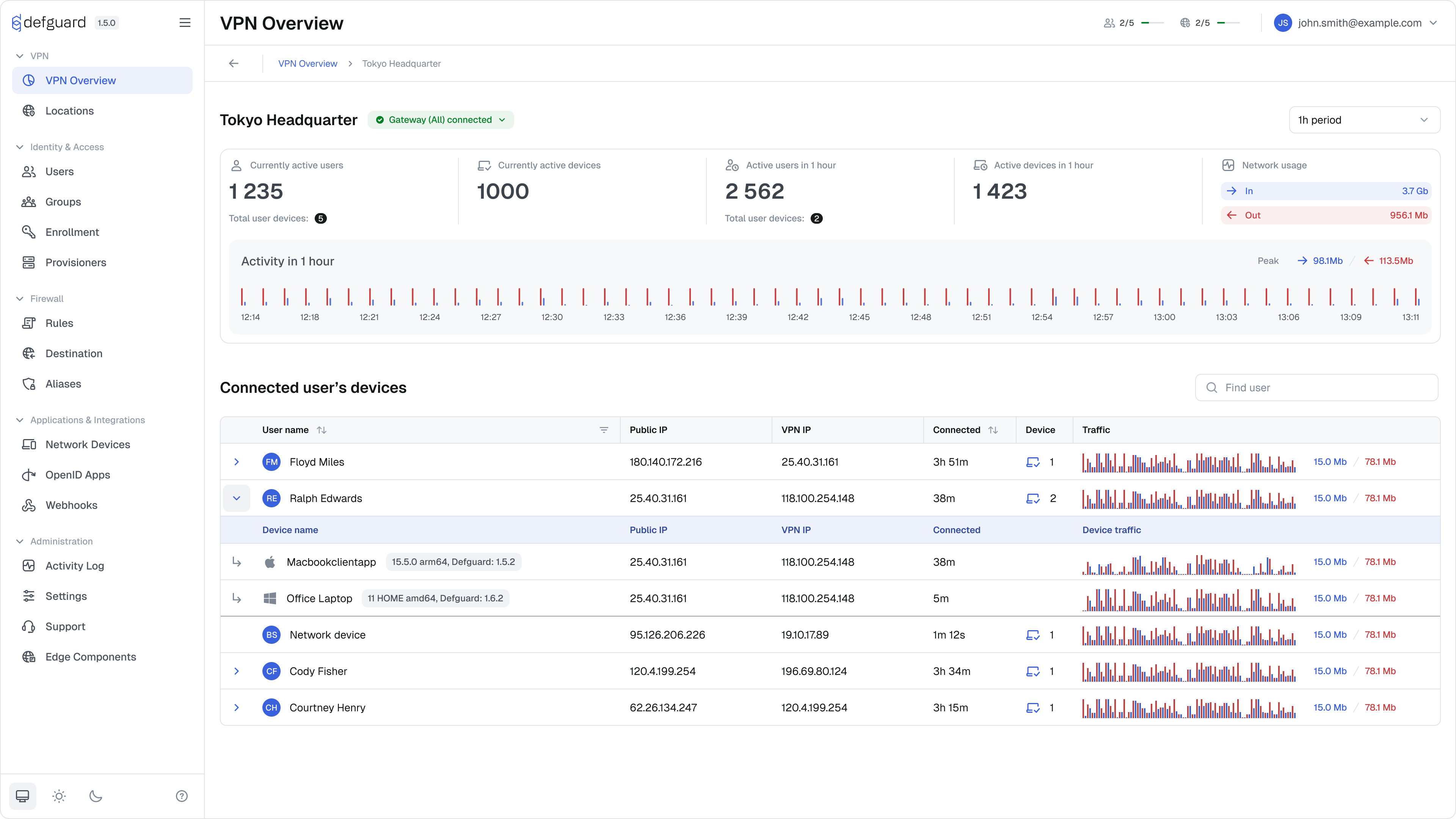
We have been working on this for at least 6 months - redesigning from ground up components, flows, naming (eg. from now on “proxy” is called Edge Component), so Defguard 2.0 will definitely feel like a completely different product (still familiar hopefully).
Architecture changes
Reverse & Secure Gateway <-> Core communication
From 2.0 core will connect to gateways (and this is the most important and significant change - as current deployments will need to change their firewall rules for gateway<->core communication).
This is necessary not only for security reasons (listed in the section above) but also to provide:
- automated and easy gateway deployment, configuration and management
- high availability - since the core as the main component / orchestrator needs to have full knowledge of all its components and manage the HA mechanisms (which was impossible in 1.x - since gateways connected to core and core had no knowledge of the component before it was actually connected).
Introducing Internal SSL Certificate Authority
To secure our component communication we strongly recommended implementing a dedicated self signed Certificate Authority - as this provided not only communication encryption but also enabled component authorization on the protocol level (all component certificates needed to be issued by the same CA in order to establish the connection).
With thousands of deployments we saw that this step is one of the hardest to overcome and made initial Defguard deployment really hard. This approach added a “silent requirement” for administrators to manage this CA and raised a number of questions: what about certificate renewal? What about revocation?
It became obvious that Defguard will have to implement a certificate authority to address ease of deployment & securing component communication, but also to solve all the certificate issues for all our admins - soon facing the common issues with certificate renewal, etc. What is also critical - given also our secure architecture, the core will never connect to any component that it has not initialized and secured itself (with certificates) - significantly raising the security bar.
A Certificate Authority is also opening a vast potential for multiple security features to come, like Multi-Factor Authentication with SSL Certificates - which can be placed on device secure storage providing an MFA method that will not require user interaction, and others (not to take over the post with this).
Firewall Rules Changes
To make our ACLs easier to use and able to handle more use-cases we decided to make their configuration more explicit. We achieved that by extending their configuration to include explicit toggles for matching all addresses, all ports or all protocols when defining a destination.
We also decided to make the distinction between existing types of Aliases (Component aliases and Destination aliases) easier to understand by splitting them into completely separate sections in the UI.
There is also now a specific option for creating an ACL with only pre-defined Destinations.
We believe that those changes allow us to make it absolutely clear in the UI itself what will be the result of applying a given ACL rule. The user does not need to consider what firewall rules will be generated, what will be the interaction between them, how the specific location config will impact them etc.
Introducing new session management
This is not a visible feature - but changing and implementing a proper session management mechanisms we will be able to introduce a variety of new features like: terminating sessions, implementing time constrained sessions (eg. external workers), etc.
This mechanism also changes our stats component making dashboards and stats fast and more reliable.
New deployment and configuration
We have decided that from 2.0 all configuration will be done in the UI. Environment variables will be supported just for the initial import of settings to the database (allowing for migration from 1.x) - this is necessary for automating many of the processes - especially the deployment that should be easy and done from the UI.
With the new UI we have introduced wizard flows for ease and clarity - allowing us to implement the initial setup wizard (next alpha will bring a migration wizard from 1.x).
We are also introducing a new concept of automated component adopting - where only by giving the location (ip & port) of the component (edge/gateway) the core will automatically do the rest:
- check if the component is available to connect
- check if the component version is supported
- check if it’s a new / clean component for adoption
- automatically and securely issue an SSL certificate for the component (the component generates own keys and a Certificate Signing Request)
- automatically switch to secure SSL/TLS based communication - before any operations by the component start
- configure the component with all necessary data for it be functioning properly
- and in the end enabling easy UI based component management and monitoring
Also on any step where/if an error occurs, no need from now on to search for the logs in console - all wizard components at any stage will provide all errors and relevant logs in the UI.
This automation should make Defguard one of (if not the) easiest on-premise security tools to deploy.
Introducing initial High Availability
The 2.0 release will enable the deployment of multiple gateways and edge components (former proxy) implementing Active-Active High Availability approach for these components.
Hopefully as most architectural changes will be done in 2.0 - we can introduce Active-Active High Availability for the core component (multiple-core deployment) in 2.1.
We consciously are not bringing multi-core HA in 2.0 because:
- multi-core HA means a “mesh” of components (each core will connect to each proxy and each gateway) - this requires a lot of testing
- there will be so many architectural changes in this release, that adding a mesh communication will only make testing a deployments at this stage more difficult
Multi-Core Active-Active High Availability requires a dedicated and thoroughly tested release.
What’s missing in this release
As mentioned this is an actual alpha release, and is missing:
- Integration & End-to-End tests!
- Migration wizard from 1.x - so that everyone will have a smooth transition
- CA Certificate Revocation (when deleting a component) & CA information in settings (only displayed in initial wizard)
- New email templates - if you configure SMTP old ones will be sent
- Some wizard steps (e.g. how to deploy an edge/gateway component) so that it can be adopted
- All settings managed by UI - still there are some old ENV variables required
- The new UI brings dedicated sections for help, tips - even videos - but those are missing now.
- License management
- All production deployment methods (OVF, packages, Helm, etc.) - just docker compose for now
- Minor UI improvements like skeletons, loaders, pagination, action confirmation modals etc. These will be added in the final version.
- Since the deployment methods and configuration changes significantly our documentation will need to change as well. For now lots of our guides will be irrelevant to the 2.0.
Video preview of Defguard 2.0 alpha
Final thoughts
Even though we do not bring some of the highly requested features yet (give us time for 2.1 ;-)) as you can see all these changes are really significant and will raise the bar of security and ease of Defguard use, management and maintenance.
We hope you will test the release and provide us feedback either by Opening a GitHub discussion or submitting issues (for bugs and missing features).