Why switch to Defguard?
Fortinet's VPN solution is a traditional VPN defined by its legacy architecture and a demonstrated history of critical security failures, clumsy MFA and limited SSO.
Defguard is an on-premise security solution that provides integrated versatile MFA support, WireGuard® protocol speed and SSO/IdP integration with support for external SSO directories. It fits along FortiGate firewall and provides a modern, secure alternative to FortiGate VPN and FortiClient.
Migration report: FortiGate Next-Generation Firewall
We migrated 300–400 employees from FortiGate and saw immediate gains in speed, security, and user experience, all at a lower cost.
Reasons to Switch
Defguard delivers what legacy appliances cannot: a secure, modern VPN platform built for today's threat landscape.
Secured control-plane
Robust MFA
Versatile IdP/SSO
Firewall management
Ready to explore Defguard?
One Control Plane - unlimited VPN networks and locations
Manage all your VPN locations from a single dashboard. Deploy fast, scale flexibly, and control access across your entire infrastructure—no more juggling separate FortiGate appliances.
One control plane
Multiple locations
Fast and flexible
FortiGate VPN vs Defguard comparison
Let's start with a high-level feature comparison between Defguard and Fortinet Gateway.
| Feature | Defguard | Fortinet Gateway |
|---|---|---|
| Identity & Authentication | ||
| External SSO/IdP integration | ✔️ Internal SSO, External SSO, LDAP/Active Directory | ✔️ Internal SSO, Radius, LDAP, SAML |
| Internal SSO | ✔️ Full OpenID SSO with possibility of integration of external apps to login with Defguard | ❌ |
| VPN Access based on Groups for LDAP/AD | ✔️ | ✔️ |
| VPN Access based on Groups for Microsoft EntraID, Google Workspace, Okta, JumpCloud | ✔️ Defguard Supports external SSO directory synchronisation | ❌ FortiGate uses SAML which doesn't support Group Sync and requires manual group mapping |
| MFA with Authenticator codes | ✔️ | ❌ Requires additional license for FortiToken |
| MFA with Email codes | ✔️ | ❌ |
| MFA with Mobile Biometry | ✔️ | ❌ |
| MFA using External SSO | ✔️ | ✔️ |
| Architecture & Network | ||
| Multiple VPN networks IPv4 & IPv6 | ✔️ | ✔️ |
| Static IP per device | ✔️ (from version 2.0) | ❌ Only Radius based auth supports this other SSO/IdP integrations do not or requires FortiClient EMS licenses and additional software for ZTNA |
| Secure Architecture | ✔️ Separated components with control plane (business logic and connection management) separated from Internet (only accessible from Intranet/VPN) | ❌ All services on one machine/VM |
| Multiple VPN location support | ✔️ Single control plane for all VPN locations with multiple gateways for each location | ❌ Each location requires a separate dedicated instance of Fortinet Gateway/Device with multiple control planes (each on dedicated device) |
| Per VPN location different multi-factor configuration | ✔️ Each VPN location Internal/External SSO MFA | ❌ |
| Split tunnel control | ✔️ - Each user can define connection type in client (full or split-tunnel) | ~ Global Split Tunnel Definition with no possibility to select in the client |
| Device & Client Management | ||
| Support For User Multiple Devices | ✔️ - User can easily manage their devices, name/identify them and automatically configure them with one-click or QR Codes - Administrators can easily see users and what user devices are connected or offline and their configurations, client version, operating system | ❌ - There are no devices in Fortinet Gateway only user based management to enable device management FortiClient EMS license is required and integration |
| Possibility for users to manage their devices | ✔️ Defguard offers dedicated user profile management with detailed device management | ❌ There is no user portal for device management |
| Email based configuration sharing | ✔️ | ❌ |
| Secure Enrollment | ✔️ - Dedicated and separated secure stateless interface for secure remote user enrollment/client configuration | ❌ - SSL VPN portals are launched on the device No portal for IPSec VPN |
| One click Desktop Client configuration | ✔️ | ✔️ |
| Automated Mobile Client configuration | ✔️ With QR Code | ❌ - User must download and import a profile - Alternatively enter server URL manually and authenticate to download and import the profile |
| Real time & secure configuration synchronization for devices | ✔️ - Dedicated and separated secure stateless interface for secure remote user enrollment/client configuration | ✔️ |
| Network Devices Support | ✔️ Defguard Command Line client with automated configuration provisioning and real time updates | ❌ |
| Access Control, Observability & Deployment | ||
| Firewall based Access Control | ✔️ Full firewall management for Linux, *BSD/OPNSense | ✔️ Advanced Firewall |
| Firewall management for multiple VPN locations | ✔️ | ❌ One instance support |
| Detailed Dashboard and statistics for VPN connections | ✔️ | ✔️ |
| Secure technology | ✔️ - Rust based Segmentation & isolation | ❌ No source code available to determine the technology No segmentation |
| Detailed Activity log | ✔️ | ✔️ |
| SIEM system integration | ✔️ | ✔️ |
| SMTP notifications | ✔️ | ❌ |
| Kubernetes Deployment | ✔️ | ❌ |
| Terraform Deployment | ✔️ | ❌ |
| Web-hook support | ✔️ | ❌ |
Trusted by Industry Leaders
Organizations worldwide trust Defguard to secure their critical infrastructure and protect their digital assets.
Trusted by:








Architecture in depth comparison
Fortinet's VPN solution relies on a traditional model where the FortiClient endpoint connects to a central FortiGate appliance. All traffic is funneled through a central FortiGate appliance. This monolithic architecture, where dozens of services are bundled into the FortiOS codebase, creates a single, massive point of failure and a performance bottleneck. For a Head of IT, this means any attack on the gateway can bring the entire remote access infrastructure down.
In stark contrast, Defguard employs a modern microservice architecture that segregates the control and data planes. The control plane operates exclusively within your internal network, inaccessible from the public internet. The data plane, built on WireGuard®, is decentralized, enabling direct connections that eliminate bottlenecks, improve latency, and enhance reliability.
Defguard Secure Architecture

Defguard's secure microservice architecture: Internal Core and external stateless Proxy (public-facing) ensure sensitive data never leaves your internal network while providing secure remote access.
FortiGate is closed-source. It felt outdated, clunky to operate, complicated to setup and configure, slow (we were using the HTTPS-VPN) and regularly had vulnerabilities disclosed, potentially with exploitable zero-days. The proprietary and closed nature of the product reduced our trust in it. We also evaluated Firezone but chose Defguard as it offered better maintenance guarantees, showed more maturity of the product, and had alignment with our understanding of how such a product should be architected.
Security
This is the most critical differentiator. Fortinet's security model has proven to be dangerously fragile against sophisticated threats.
The FortiGate appliance's design has resulted in a recurring pattern of critical, remotely exploitable vulnerabilities (like CVE-2024-21762). These flaws have been actively exploited by state-sponsored actors like China's Volt Typhoon to gain initial access to critical infrastructure.
However, the greatest failure is the inability to recover from a breach. According to Dutch intelligence services (MIVD), a custom Remote Access Trojan named COATHANGER was developed specifically for FortiGate devices. This malware:
- Survives reboots and firmware upgrades.
- Hides its presence by hooking system calls, making it invisible to standard admin tools.
- Was used to compromise at least 20,000 FortiGate devices globally.
For a CISO, this is a catastrophic risk. It means that even after applying a patch, the FortiGate device cannot be trusted, creating unacceptable business risk.
Defguard's foundation on its open-source Rust codebase provides a modern, auditable cryptographic suite with a minimal attack surface. You can verify the code, not just trust a vendor's opaque security claims.
Identity: Native MFA vs. The FortiAuthenticator Trap
Fortinet requires a complex ecosystem for modern authentication, needing separate products like FortiAuthenticator for SSO and FortiToken for MFA. This fragments security and inflates costs.
Defguard simplifies this natively. It includes a built-in Identity Provider (IdP) and supports any OIDC provider (Microsoft, Google, Okta) out of the box, with no extra licenses, reducing the burden on IT teams.
Access Control: Identity-Based vs. Static IP Rules
Defguard uses a flexible, identity-based ACL system. Policies are tied to user identity, not static IP addresses, making them more secure and easier to manage than the complex rule sets on a centralized FortiGate appliance.
Strategic Impact: Hardware Security vs. Software Agility
The choice between Fortinet and Defguard is a choice between two fundamentally different security philosophies. The table below shows the real-world consequences of each architectural approach.
| Security Principle | Legacy Appliance Approach (FortiGate) | Modern ZTNA Approach (Defguard) |
|---|---|---|
| ZTNA implementation | Perimeter-Based. Trust is assumed once connected. Even with "Fortinet ZTNA" features, the underlying architecture relies on a persistent tunnel that allows lateral movement. | Pure identity-first ZTNA: protocol-level MFA with dynamic session keys; no implicit trust, every session fully reauthenticated before tunnel establishment. |
| Attack Surface | Large, monolithic, and complex; a single vulnerability can lead to full device compromise, as repeatedly demonstrated by multiple critical CVEs. | Based on a secure microservice architecture. Each component is independent, eliminating single points of failure and drastically reducing the attack surface. |
| Vulnerability Impact | High; a perimeter breach grants state-sponsored actors a long-term foothold for lateral movement and deep network access. | Contained; breaches are isolated by design. The "blast radius" of any single component failure is minimized. |
| System Integrity | Assumed & Fragile; vulnerable to persistent threats (e.g., COATHANGER) that survive reboots and patches, rendering the device untrustworthy. | Verified & Resilient; employs continuous integrity monitoring and immutable components to ensure the platform remains trustworthy. |
| Vendor Transparency | Opaque & Vendor-Centric; "silent patching" leaves customers unknowingly exposed while attackers reverse-engineer fixes. | Transparent & Customer-Centric; timely disclosure empowers defenders to accurately assess risk and take immediate action. |
Management & Setup: Automated Provisioning vs. FortiClient EMS
Scaling remote access creates an "Empty Client" problem: distributing the app is easy, but securely distributing secrets is hard. Fortinet forces you to buy FortiClient EMS to solve this. Defguard solves it using the infrastructure you already own: Active Directory or Entra ID.
We offer true Zero-Touch Provisioning. Admins batch-generate tokens via API and sync them to user profiles. When you push the MSI via Intune or GPO, the client auto-detects the domain, retrieves the token, and pre-configures itself. Users launch the app and connect immediately: no emails, no copy-pasting, and no Helpdesk tickets.
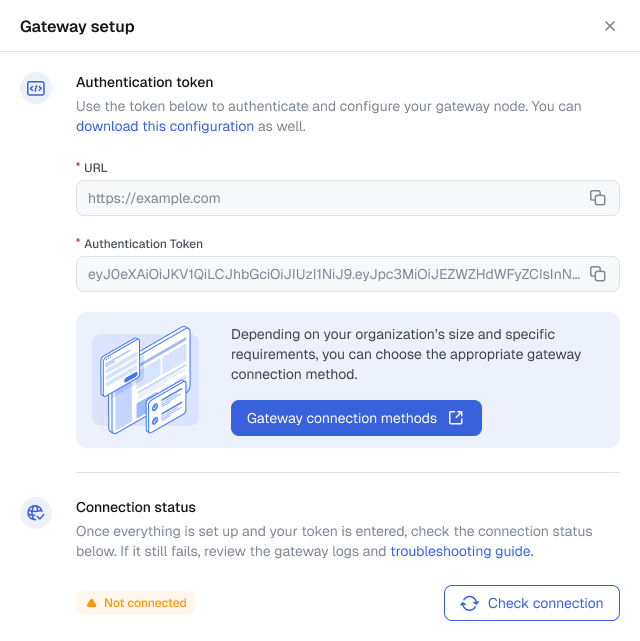
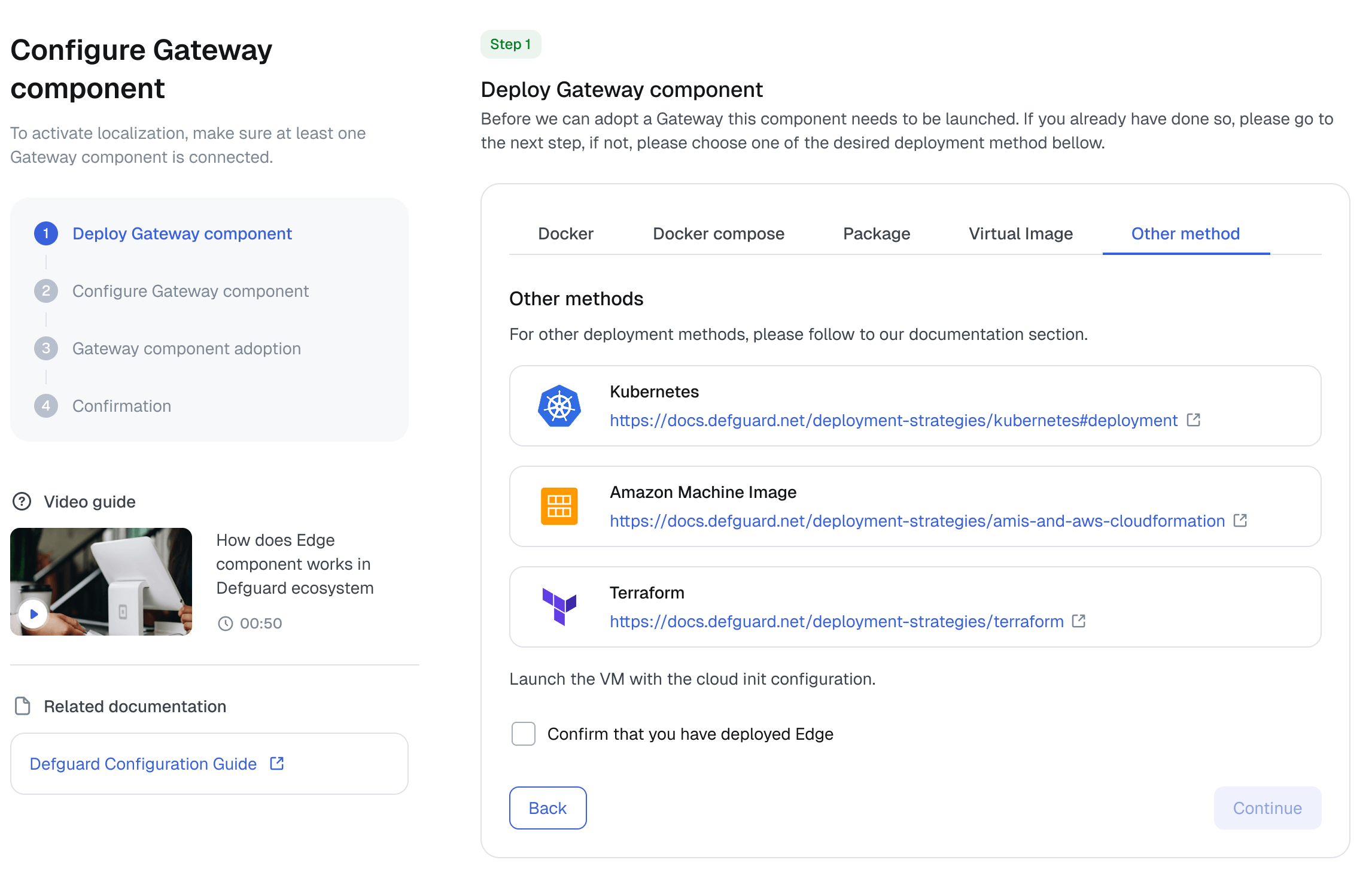
To simplify evaluation, we provide a one-line install script to deploy a complete test instance, allowing you to get familiar with the solution's features quickly. For production-ready rollout, we support modern workflows with deployment options for Docker Compose, Terraform for AWS, and Kubernetes.
Pricing: Transparent Subscription vs. Hidden Licensing Fees
Fortinet's pricing requires multiple, separate licenses for FortiGate hardware, FortiClient endpoints, MFA, SSO, and mandatory support contracts, leading to unforeseen costs.
Defguard offers several plans, including our comprehensive Enterprise plan designed for business-critical deployments. This approach ensures straightforward, subscription-based pricing without the hidden fees common in the Fortinet ecosystem. For a full comparison of our plans, please see our pricing page.
Frequently Asked Questions
How does Defguard protect against vulnerabilities like COATHANGER?
Legacy appliances are vulnerable to persistent malware because they run large, monolithic codebases. Defguard is built on a modern microservices architecture and open-source Rust code, minimizing the attack surface. Unlike legacy protocols which are inherently complex, WireGuard is lean and auditable. Read about the fundamental limitations of the SSL VPN protocol.
Can I use Defguard client to connect to my existing FortiGate SSL VPN?
No. Defguard is not a "Direct Fortinet Replacement" client wrapper like OpenFortiVPN. We replace the entire legacy VPN stack. Defguard is a Protocol-Based Solution that requires installing a secure Gateway (Server) to handle traffic using the modern WireGuard® protocol instead of slow SSL VPN tunnels.
How is Defguard different from OpenVPN or raw WireGuard®?
Defguard belongs to the Protocol-Based Solutions category (like OpenVPN Access Server) but offers a modern architecture. While OpenVPN is legacy software and raw WireGuard lacks management features, Defguard provides a complete VPN Platform. It combines WireGuard performance with an Enterprise Management UI, MFA/2FA, and SSO — everything included in a self-hosted setup.
Do I need a separate license for endpoint and device management like FortiClient EMS?
No. Unlike Fortinet's fragmented model (Gateway + EMS), Defguard is a single, cohesive platform. Identity management, policy enforcement, and device provisioning are integrated directly into the system, not sold as an add-on. You get a unified control plane for both network access and fleet management — eliminating the need to deploy or license a separate EMS server.
Can I replace Fortinet's VPN solution without replacing my FortiGate firewall?
Yes. You can keep your existing FortiGate firewall for perimeter security and simply offload the VPN traffic to Defguard. Deploying Defguard alongside your current firewall (as a "sidecar") is the fastest way to upgrade your remote access performance without disrupting your core network infrastructure. Read our step-by-step guide on how to migrate from SSL VPN to WireGuard.
Does Defguard provide Zero Trust (ZTNA) and SSO integration?
Defguard enables a self-hosted ZTNA architecture by enforcing "Identity-First" access. We natively integrate with any OIDC Provider, including Microsoft Entra ID (Azure AD), Okta, and Google Workspace. Unlike legacy VPNs that trust IP addresses, Defguard verifies user identity and MFA status before allowing access. This delivers robust Zero Trust security out of the box — eliminating the need for expensive components like FortiAuthenticator.