

The new Desktop Client brings a fresh experience to end users - we believe it’s the most capable and beautiful WireGuard® client available:
- 🔄 Live configuration sync - location and firewall changes reach the client without re-enrollment
- 🌍 Multiple instances and locations - all managed from a single client
- 🔐 Flexible MFA - including biometric approval through the Defguard mobile app
- 🖥️ Tray mode - a minimalistic layout with an instance picker, connecting users in two clicks
See the new client in action:
Desktop Client UI/UX redesigned
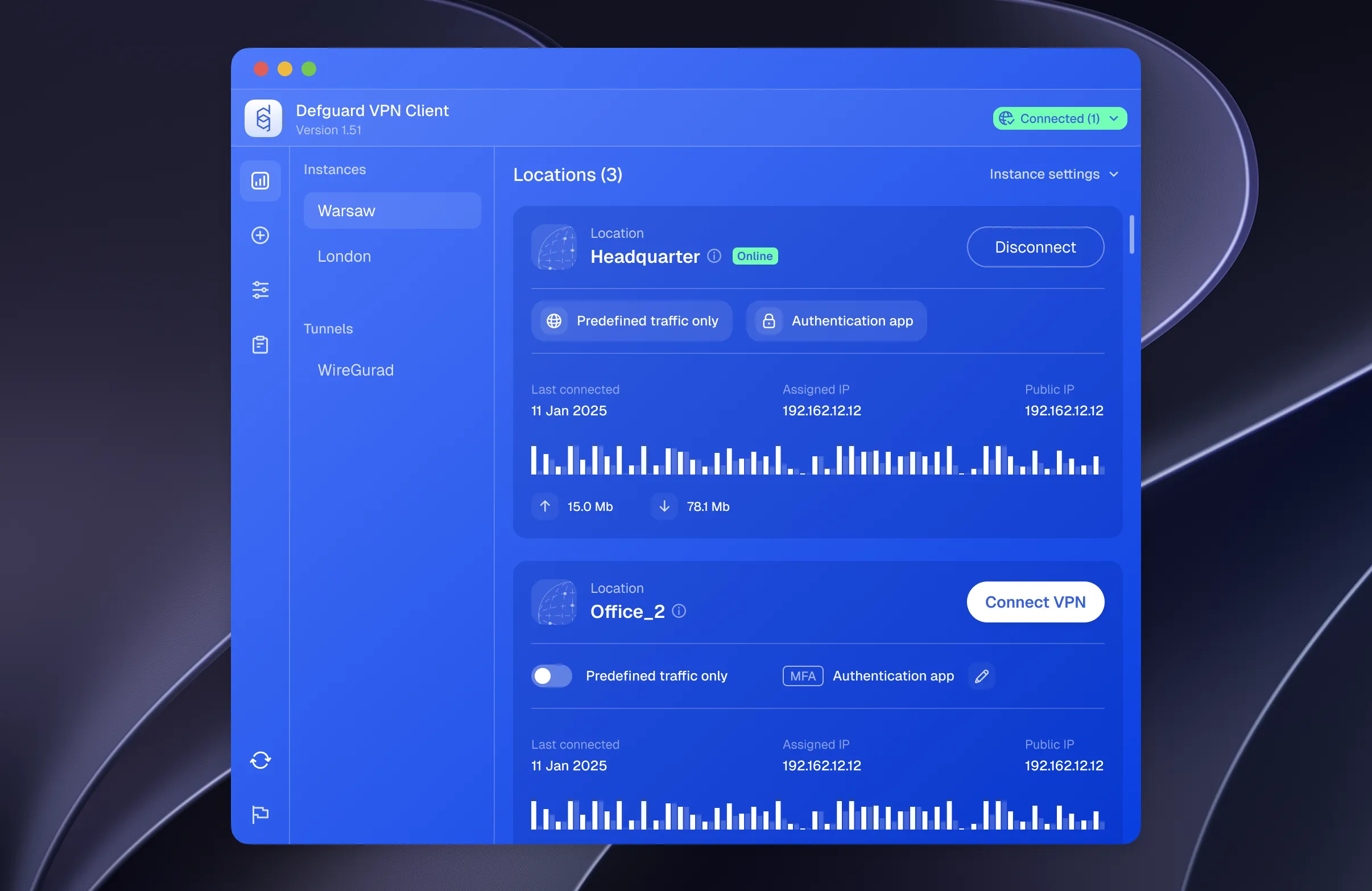
The client has been redesigned from the ground up to match the design language introduced with Defguard 2.0. The interface is cleaner and easier to read: connection status, the selected location, traffic routing and the configured MFA method are all visible at a glance, so users always know whether they are protected and how they are connecting. Everything that matters day to day - connecting, switching locations, approving MFA - now takes fewer steps and less guesswork.
Tray mode
Beyond the new look and feel, the Desktop Client now supports “tray mode”: a minimalistic layout with an intuitive instance picker. It lets your users connect to the VPN in just two clicks, without opening the full application window.
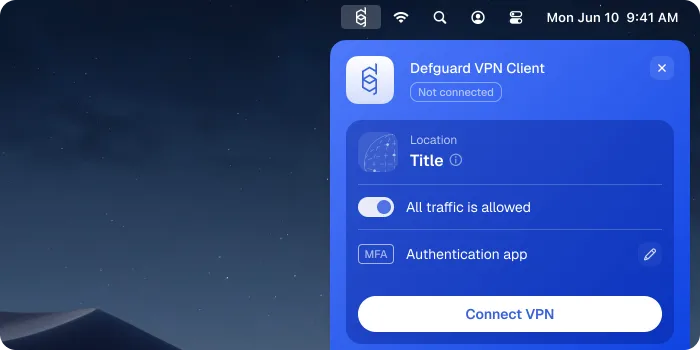
Tray mode lives in the system menu bar, so the client stays out of the way until it’s needed. From the tray users can pick an instance and location, see the connection state and traffic policy, and trigger MFA - including biometric approval through the Defguard mobile app - without ever opening the main window. The full application is still one click away for settings and details.
Here it is in action - from the menu bar to a connected VPN in two clicks:
Download and test it
The new Desktop Client ships for all plans. Grab it from our download page, or let your users get it automatically during remote enrollment - live configuration sync will keep it up to date from there. Take it for a spin with your own instances and locations, and tell us what you think - feedback and issues are always welcome on GitHub.