


Feature
Trusted by businesses across the globe

Compatible
Works with any WireGuard® server
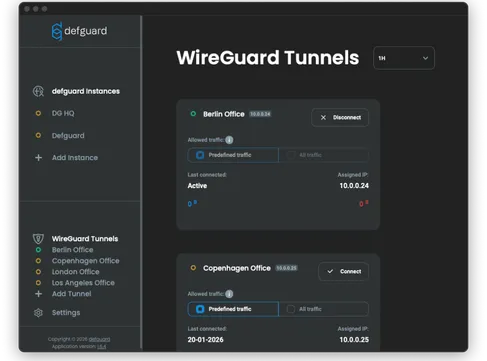
Defguard Client can import standard WireGuard® configs and manage multiple profiles.
Defguard Client
Official WireGuard® Client
Benefits that strengthen your security
Defguard Client
Official WireGuard® Client
License
Dual license with Open Source AGPLv3 core
Windows: MIT. macOS/iOS: MIT. Android: Apache 2.0. Linux tooling (wg/wg-quick): GPL-2.0-only.
Desktop apps
Windows, macOS, Linux
Windows and macOS
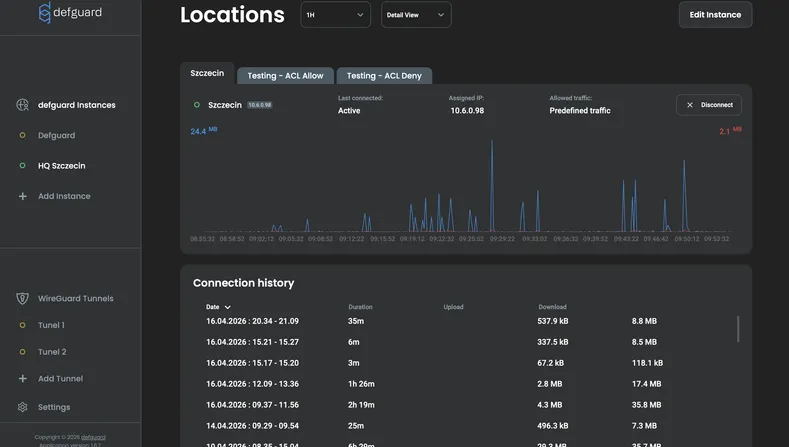
Live connection stats
Real-time charts and detailed connection statistics
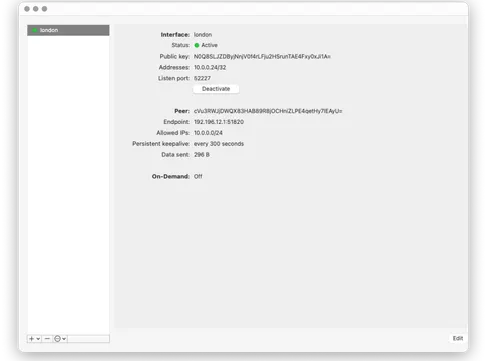
Basic status counters (feature set varies by OS), no built-in charts
Connection history
Connection history view
No
Logs
Client logs
Logging depends on OS/client implementation
Pentested
Public penetration testing reports and daily security scans
No publicly available pentest reports
Server
WireGuard® server or Defguard server with MFA support
WireGuard® only
The approach to security you expect - built in by default.

Penetration tested
Regular penetration tests & security reviews covering configuration, key handling, privilege boundaries, and update paths.
Read penetration reports →
Daily security scan
Full Software Bill of Materials (SBOM) published per release, with daily scans for known vulnerabilities and supply-chain risks.
View SBOM results →
Open-source codebase
Public, auditable source code enabling independent review, reproducible builds, and external third-party verification.
Check our code →Defguard is ISO/IEC 27001:2023 certified and implements stringent security requirements across its development processes and security testing.
Defguard approach
Open-source WireGuard® client you can trust
Open source
Dual license with Open Source AGPLv3 core
Security audited
Dual license with Open Source AGPLv3 core
SOC 2 ready
Dual license with Open Source AGPLv3 core
GDPR Ready
Dual license with Open Source AGPLv3 core
Looking for WireGuard® MFA/2FA?
Install Defguard control plane (open source & free) and turn your WireGuard® into ZTNA solution.
Download WireGuard® Client - Windows, macOS, Linux
Download the best WireGuard® client for your platform. Choose the right package below.
WireGuard® Desktop Client for Linux
WireGuard® Linux client - DEB, RPM, AUR packages
Frequently asked questions
Everything you need to know about the Defguard WireGuard® client.
Is Defguard Client free and open source?
Yes. Defguard Client is free and open source. You can review the source code and build it yourself.
Is Defguard Client a good WireGuard® alternative client?
Yes. Defguard Client is the best WireGuard® alternative client. It is free and open source. You can review the source code and build it yourself. Yet it provides more features than official WireGuard® client and consistent UI across all platforms.
What is the best WireGuard® client for Windows?
Defguard Client is the best WireGuard® client for Windows. It offers a modern UI, easy configuration management, and enterprise features like MDM support. Download the WireGuard® Windows client MSI installer for Windows 10/11.
What is the best WireGuard® desktop client?
Defguard Client is the best WireGuard® desktop client, supporting Windows, macOS, and Linux. It provides a consistent user experience across all platforms with advanced features like multi-profile management and secure key handling.
Which platforms are supported?
Desktop clients are available for Windows, macOS, and Linux. To use mobile apps available for iOS and Android, you need Defguard server.
Can I import existing WireGuard® configs?
Yes. Defguard Client can import standard WireGuard® configuration files and manage multiple profiles.
Does Defguard support MFA?
Yes. When connected to a Defguard self-hosted control plane (server), you can enable multi-factor authentication for each connection.
Can Defguard Client only route specific traffic through the VPN?
Yes. You can use the predefined traffic option, which routes only the traffic your setup defines, instead of pushing everything through the tunnel.
Does Defguard Client keep syncing with the server all the time?
No. The desktop client stores instance info locally and doesn't communicate with Defguard outside the registration/update process, so what you see is a snapshot until you update the instance.
Any Linux requirements I should know about?
Two common ones: the client uses resolvconf for DNS management (often linked to resolvectl on newer distros), and your user may need to be in the defguard group to access the client's IPC socket. You might need to log out and back in (or reboot) after first install.
Does Defguard Client require the official WireGuard® app on Windows?
No. On Windows, Defguard Client bundles the official WireGuard® tools it needs. If you already have the official WireGuard® client installed, Defguard Client installation can fail, so it's best to remove it first.