

New Desktop Client, Device Posture Checks, dynamic Allowed IPs and Gateway on VyOS - meet Defguard 2.1
August 26, 2026 • Michał Gryczka
6 min to read
In April 2026 we released Defguard 2.0, bringing a completely new user experience to the Defguard control plane and administration, and laying the foundation for enhanced security, High Availability and a streamlined deployment and setup process that makes the lives of admins easier.
Today we release Defguard 2.1, which enhances the security of your private network even further with Device Posture Checks and the ability to limit how much of your network information (IP addresses) is exposed, through Allowed IPs generated for each user based on Firewall Rules.
TL;DR - Key Highlights:
- 🖥️ New Desktop Client - fresh look, tray mode, connect in two clicks
- ⌨️ Command-line control - drive the client from a terminal, MFA included
- 🛡️ Device Posture verification - non-compliant devices simply can’t connect
- 🔒 Allowed IPs from Firewall Rules - least-privilege configs, no network recon
- 🐧 Service locations on Linux - Always-on VPN from system boot
- 🧩 Gateway on VyOS - run Defguard Gateway as a container on your router
You can support us by leaving a star on GitHub 🙏
Since security always comes first - even before our (still amazing) features - this release was tested by our security team, ISEC, alongside their new companion, Striga.AI. We have fixed all major findings before the release.
As always, a full pentesting report will soon be released on our pentesting page.
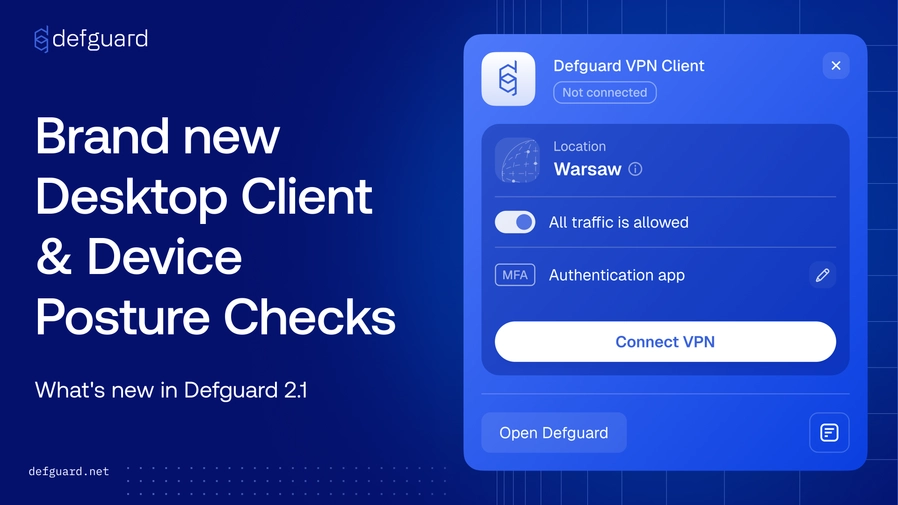
The new Desktop Client brings a fresh experience to end users! With live configuration sync for your WireGuard VPN, support for multiple instances and locations, and flexible MFA (including biometrics via the mobile app), we believe it’s the most capable and beautiful WireGuard client available. You can download the new version from our download page, or get it during remote user enrollment.
Beyond the new look and feel, the Desktop Client now supports “tray mode” with a minimalistic layout and an intuitive instance picker. It lets your users connect to the VPN in just two clicks.
Not every machine that needs a VPN connection has a desktop to run a GUI on. Headless servers, SSH sessions, jump hosts and scheduled jobs have all historically forced an uncomfortable choice: either drop multi-factor authentication for machines that connect unattended, or park a long-lived credential on disk and hope nothing finds it. Defguard 2.1 ships defguard-client, a command-line interface to the Desktop Client, built so that the automated path and the secure path are the same path.
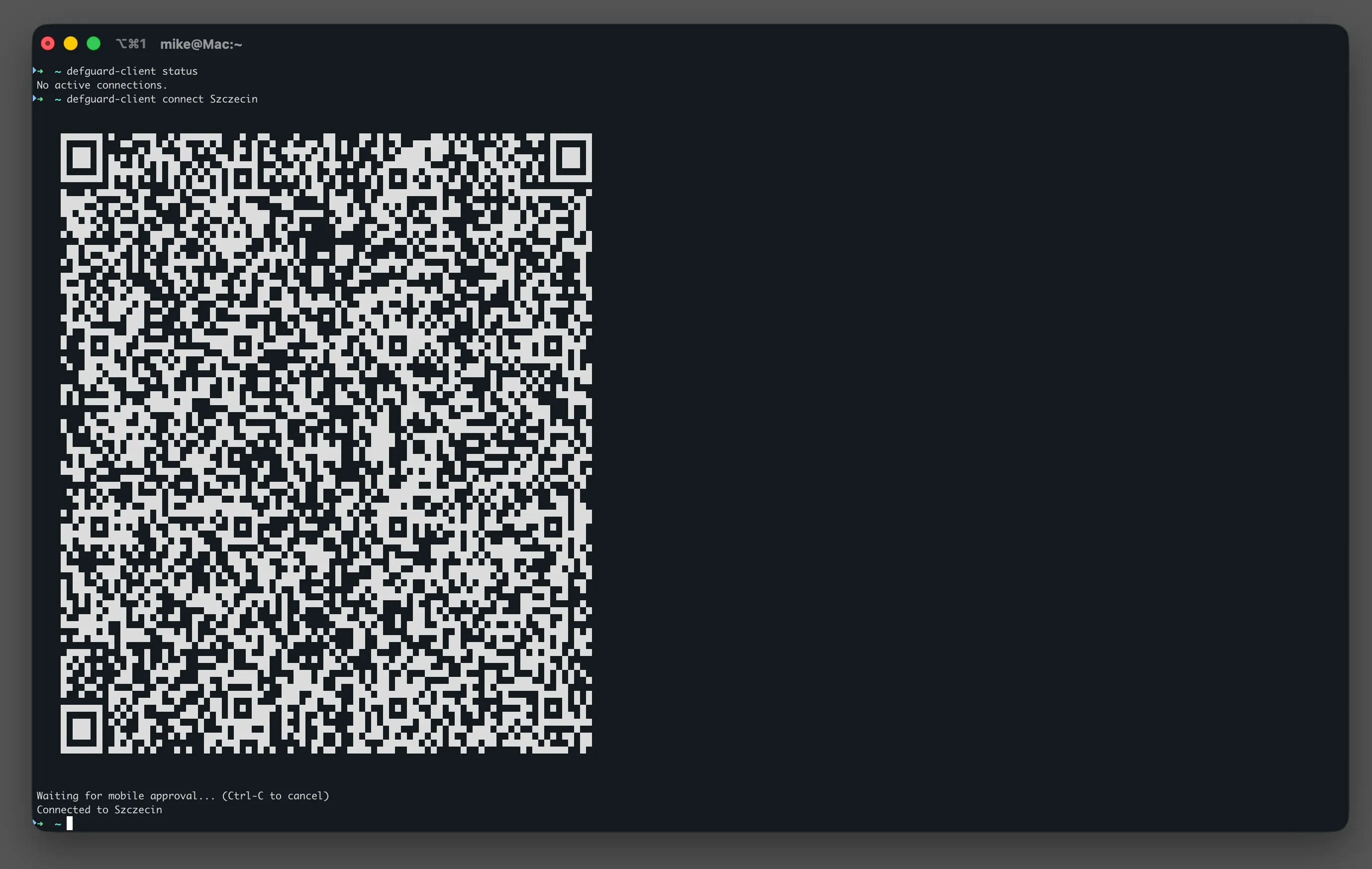
More reading: Control the VPN client and run MFA from the command line - the full command set, scripting with
--jsonand exit codes, and every MFA flow in detail.
With Device Posture verification, Defguard now lets admins define the security criteria a machine must meet before it is allowed to establish a WireGuard connection to your VPN network. Posture Checks can validate:
This brings endpoint compliance and device trust into the connection flow itself - devices that don’t meet your baseline simply can’t connect, even if the user is otherwise authorized. It’s a key building block for least-privilege access, reducing attack surface by keeping unmanaged, outdated or non-compliant endpoints off the network entirely.
As an admin you can create many Posture Checks with different levels of compliance and assign them to any VPN locations you have created.
Read more in the Device Posture verification documentation: https://docs.defguard.net/2.1/features/device-posture-verification
WireGuard’s Allowed IPs setting doubles as both a split-tunneling control and an access boundary, and static, manually maintained lists easily end up broader than a user’s actual entitlements - exposing internal network structure even when the firewall ultimately blocks the traffic. In Defguard 2.1, Allowed IPs can be derived directly from the Firewall Rules that apply to that specific user, enforcing least-privilege access at the visibility layer, not just the enforcement layer.
The setting is disabled by default and can be enabled during location configuration. Manually defined Allowed IPs are not replaced - they are combined with the entries derived from ACLs.
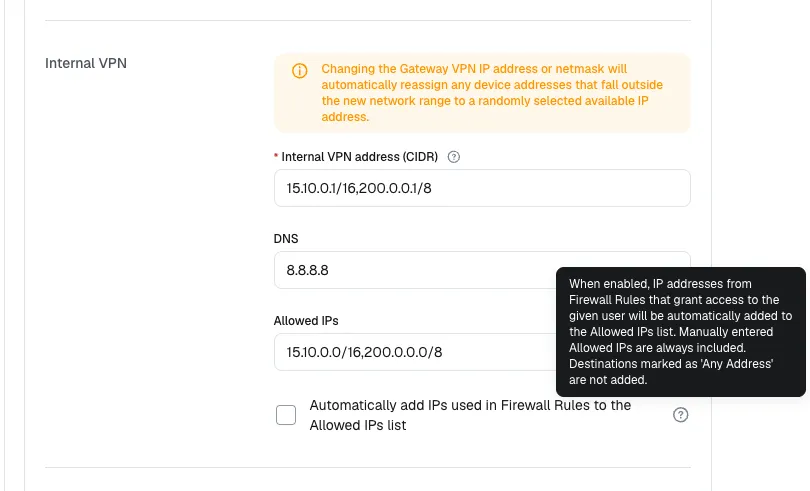
More reading: Least-privilege Allowed IPs generated from Firewall Rules - the security gap this closes, a worked example, and documentation links.
Service locations connect automatically on system boot and are not operated by the user at all: they never appear in the Client’s location list, and the connection belongs to a background service running independently of the Desktop Client - so it stays up even when the Client is closed or has never been started. We introduced them in 1.6 for Windows; in 2.1 the Linux client supports them too, bringing Always-on mode to Linux machines.
In Always-on mode the connection survives user logins, logoffs and the Client being closed, and is only re-established when the location’s configuration changes or the client is reinstalled - the right fit for build agents, lab machines, or any endpoint that should simply always be on the network. Two caveats: a location cannot be a service location if it has MFA or posture checks assigned, since no user is present to satisfy a challenge; and while the connection itself does not need the Client running, configuration updates do. Pre-logon mode remains Windows-only, and service locations are an Enterprise feature.
More reading: Service locations documentation - both modes, setup walkthrough, and connection management in depth.
VyOS is a popular open-source router, firewall and VPN gateway OS - and now we officially support running Defguard Gateway directly on it as a container, with no native package install required. Thanks to VyOS’s built-in container support, Defguard Gateway runs right on your router host with full host networking, managing WireGuard interfaces and nftables ACL rules natively, while keeping its persistent state (like adoption certificates) safely stored in a mounted VyOS volume.
Read how to run Defguard Gateway on VyOS: https://docs.defguard.net/2.1/deployment-strategies/running-gateway-on-vyos
Since the last release, we’ve decided to change the order of releases based on user expectations, and to deliver MFA Flows before Device Attestation. The currently planned releases are:
If you’re interested in learning more about current and future Defguard capabilities, connect with us to discuss how Defguard can meet your enterprise VPN needs.